Add Record Enrichment to Lightning Pages
Overview
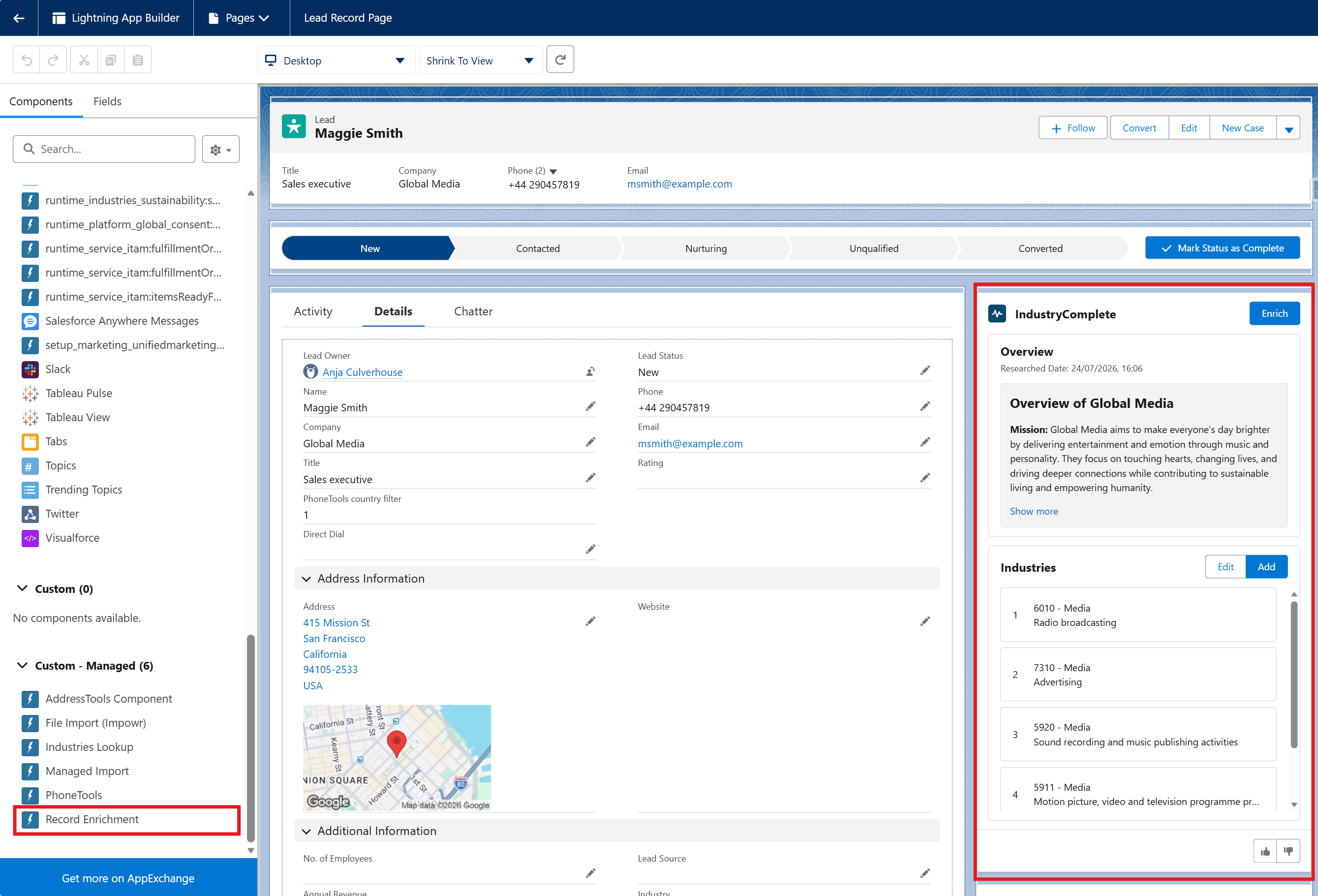
Add the Record Enrichment Lightning component to your Lead and Account record pages, enabling users to enrich records directly from the record detail view.
Component Features
Once added, the Record Enrichment component allows users to:
- Generate an AI-written overview of the company.
- Get an AI-suggested list of industry codes relevant to the company's business.
- Manually add or remove industry codes on the Industries list.
- Reorder the Industries list by priority – the top item is treated as the primary industry, and can populate the standard Industry field if that setting is enabled.
- See the date the record was last enriched.
Adding the Component
The steps are the same for both Lead and Account record pages:
- Navigate to a Lead or Account record.
- Click the gear icon (⚙️) in the top-right corner.
- Select Edit Page to open the Lightning App Builder.
- In the Components panel on the left, search for Record Enrichment.
- Drag the Record Enrichment component onto your desired position on the page layout.
- Configure the component if needed (options will appear in the right panel).
- Click Save.
- Activate the page where necessary (assign as org default, app default, or record type default as appropriate).
Repeat for both Lead and Account record pages.
Good to Know
For record enrichment to work, your Account and Lead records must contain:
- Account Name (Accounts) or Company (Leads) - the name of the company
- Website - the company website URL
- Country - the country where the company is located. If this is blank, IndustryComplete uses the Salesforce organisation country, then your user country, as fallbacks.
Records with no country available from the record or either fallback will not enrich successfully.