Add Industries to Your Records
Overview
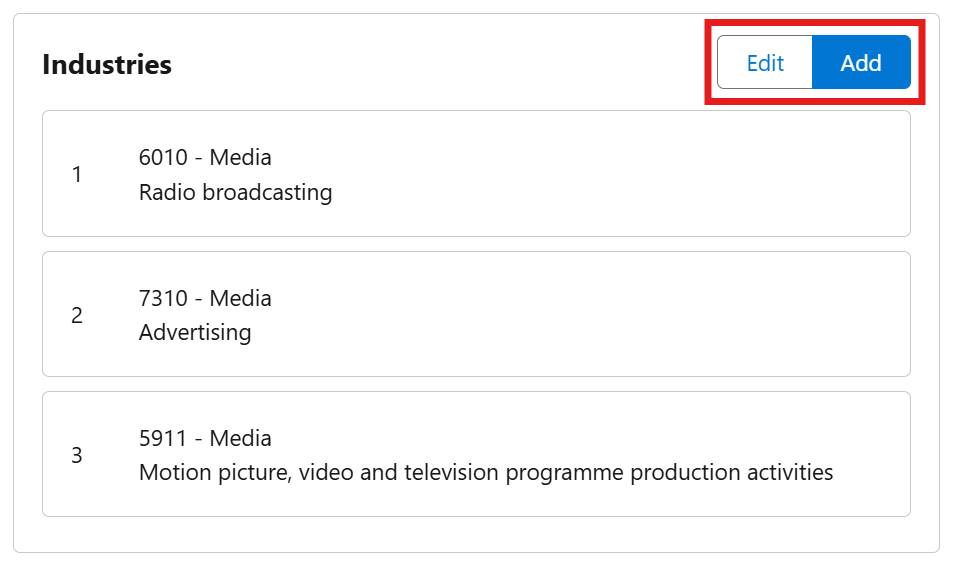
The Industries list shows every industry code assigned to a Lead or Account, in priority order. You can search for and add codes manually, reorder them, or remove ones you no longer need – independently of AI enrichment.
The Industries list appears in two places depending on how your org is set up:
- Inside the Record Enrichment component, if that's been added to your page (see Enrich Your Records)
- As a standalone Industries Lookup component, if your admin added that instead
Both show the same list and the same Add / Edit buttons described below.
Adding an Industry Code
- On the Industries card, click Add.
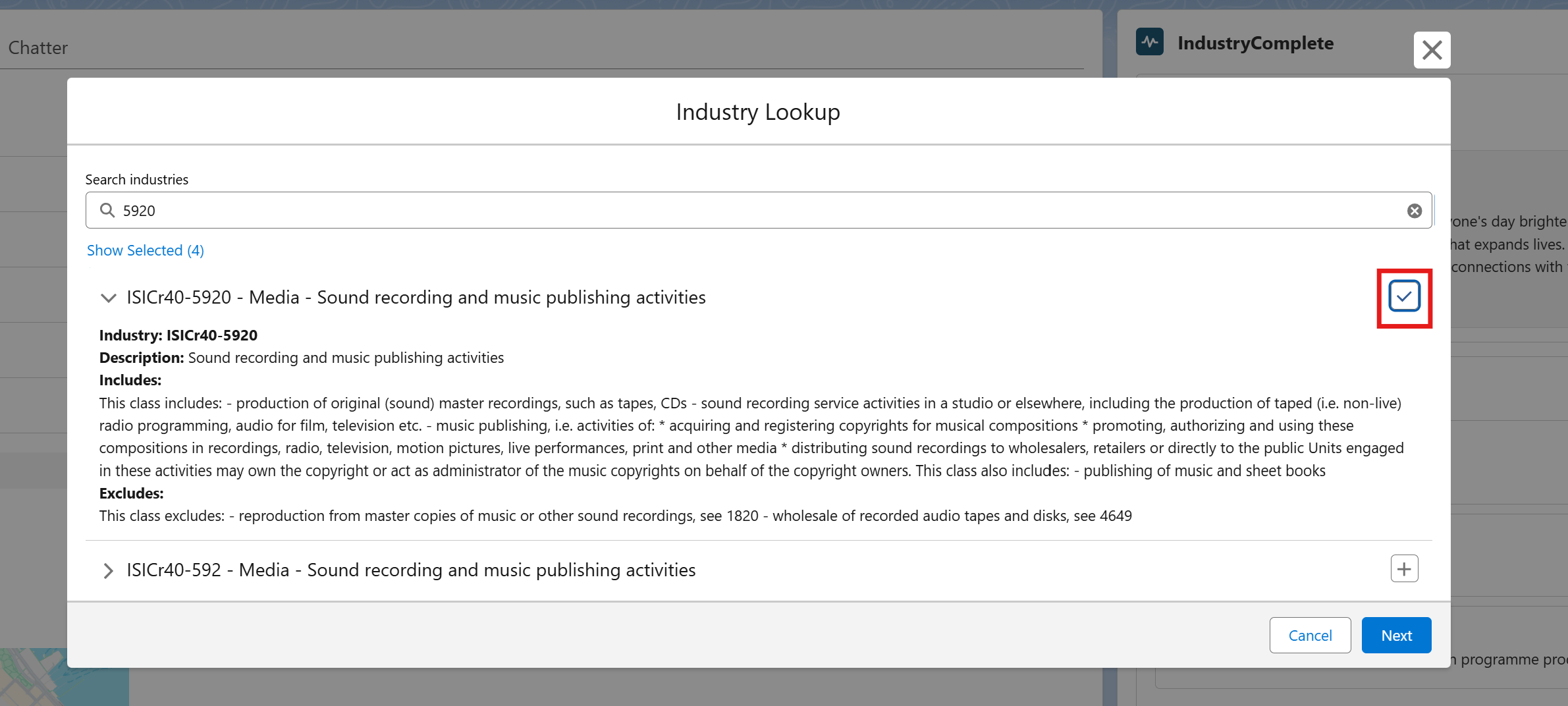
- Enter a keyword in the Search industries box (for example, part of an industry name).
- Expand a result to see its description, and what it includes/excludes.
- Click the + icon next to each industry you want to add. It changes to a checkmark once added. Use Show Selected to review everything you've picked so far.
- Click Next to review the order industries will appear in.
- Click Save.
Reordering or Removing Industry Codes
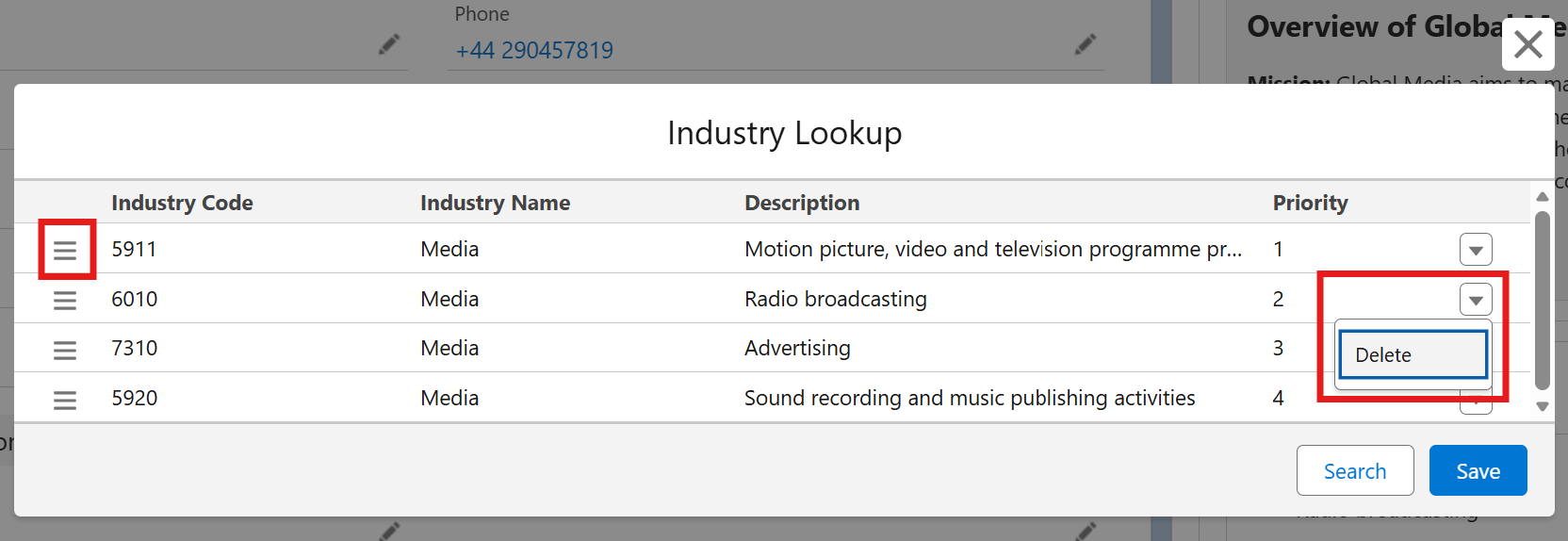
- On the Industries card, click Edit.
- To reorder, drag a row using the handle on the left, and drop it into a new position. The Priority column updates to reflect the new order.
- To remove a code, select the dropdown arrow on the far right of its row and select Delete.
- Click Save to confirm your changes.
Viewing Industry Details
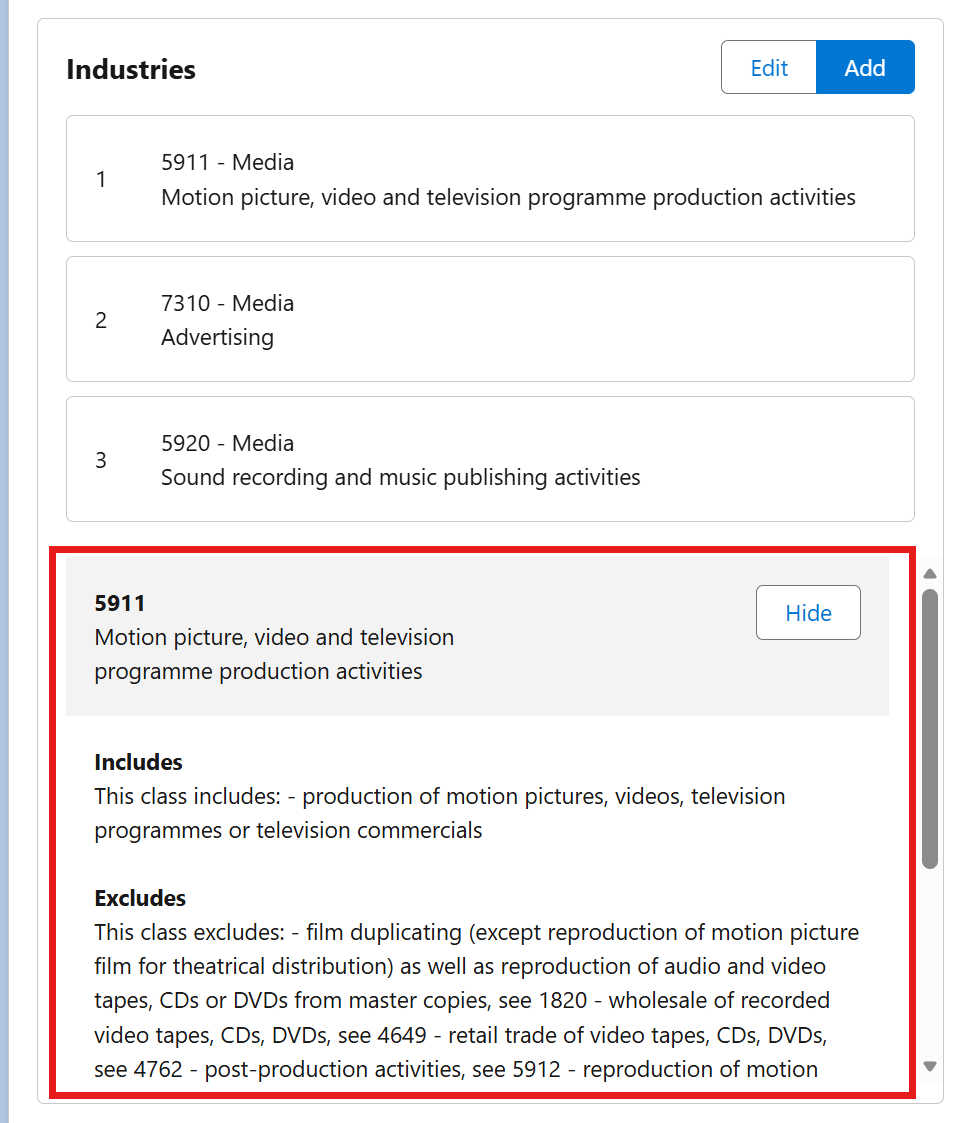
Click any industry in the list to see its full description, including what it includes and excludes. Click Hide to close the details panel.
Good to Know
- If no industry codes have been installed in your org, the list will show a message asking you to contact your Salesforce administrator – see Install Industry Classification Codes.
- The order of industries matters if you've turned on automatic Industry field population (see Enable Automatic Industry Field Population) – the highest-priority (first) industry code is the one used.
- Running AI enrichment on a record replaces its entire Industries list with the AI-suggested codes. If you've added codes manually, re-run enrichment with care, as your manual changes will be removed – see Enrich Your Records.