Configure External Client App
Overview
The External Client App must be configured to restrict access to pre-authorised users via the Permission Set created in the Permission Set Assignments step.
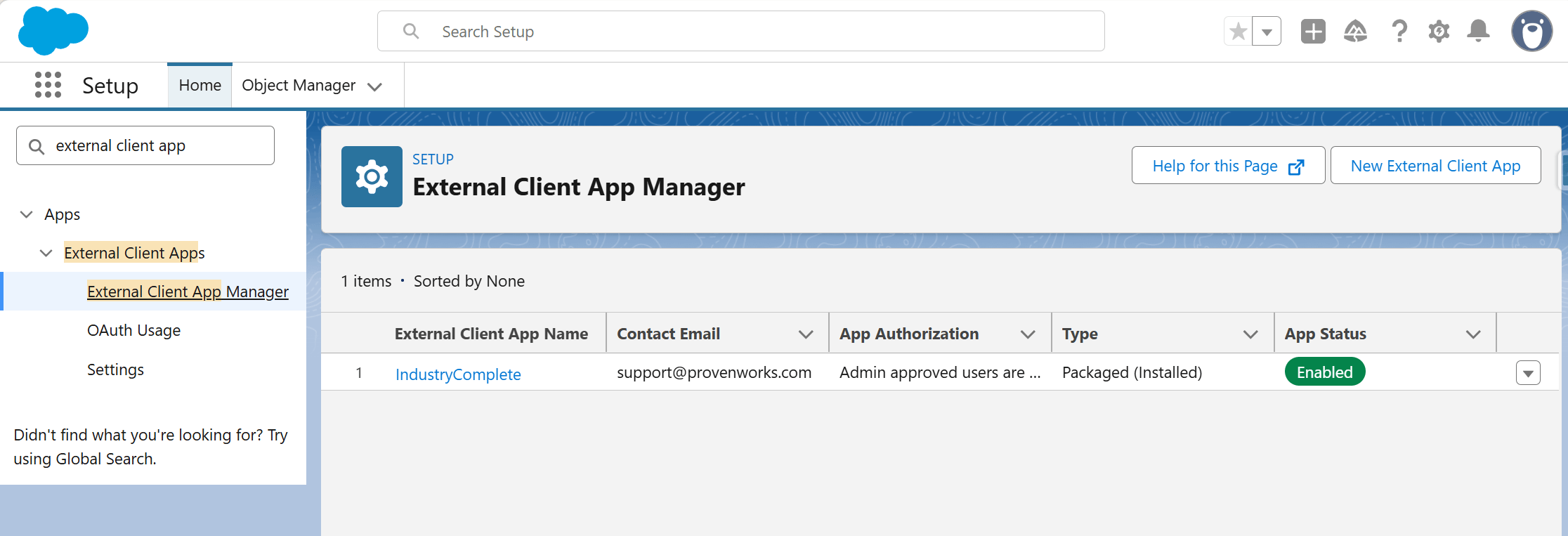
Step 1: Update OAuth Policies
- Navigate to Setup > External Client App Manager.
- Locate and select IndustryComplete.
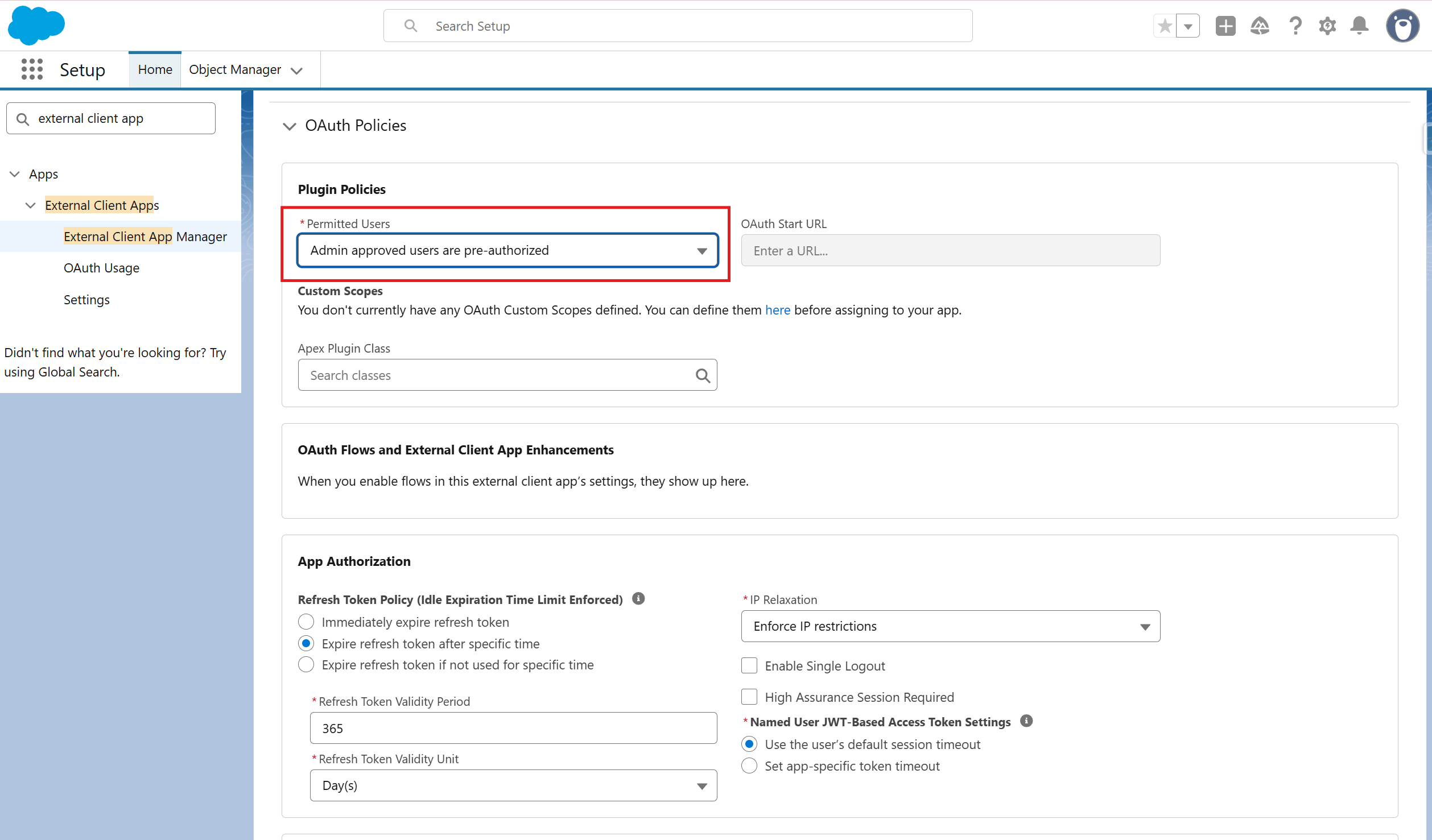
- In the OAuth Policies section, select Edit.
- Change Permitted Users to:
- Admin approved users are pre-authorized
Step 2: Assign the Permission Set to App Policies
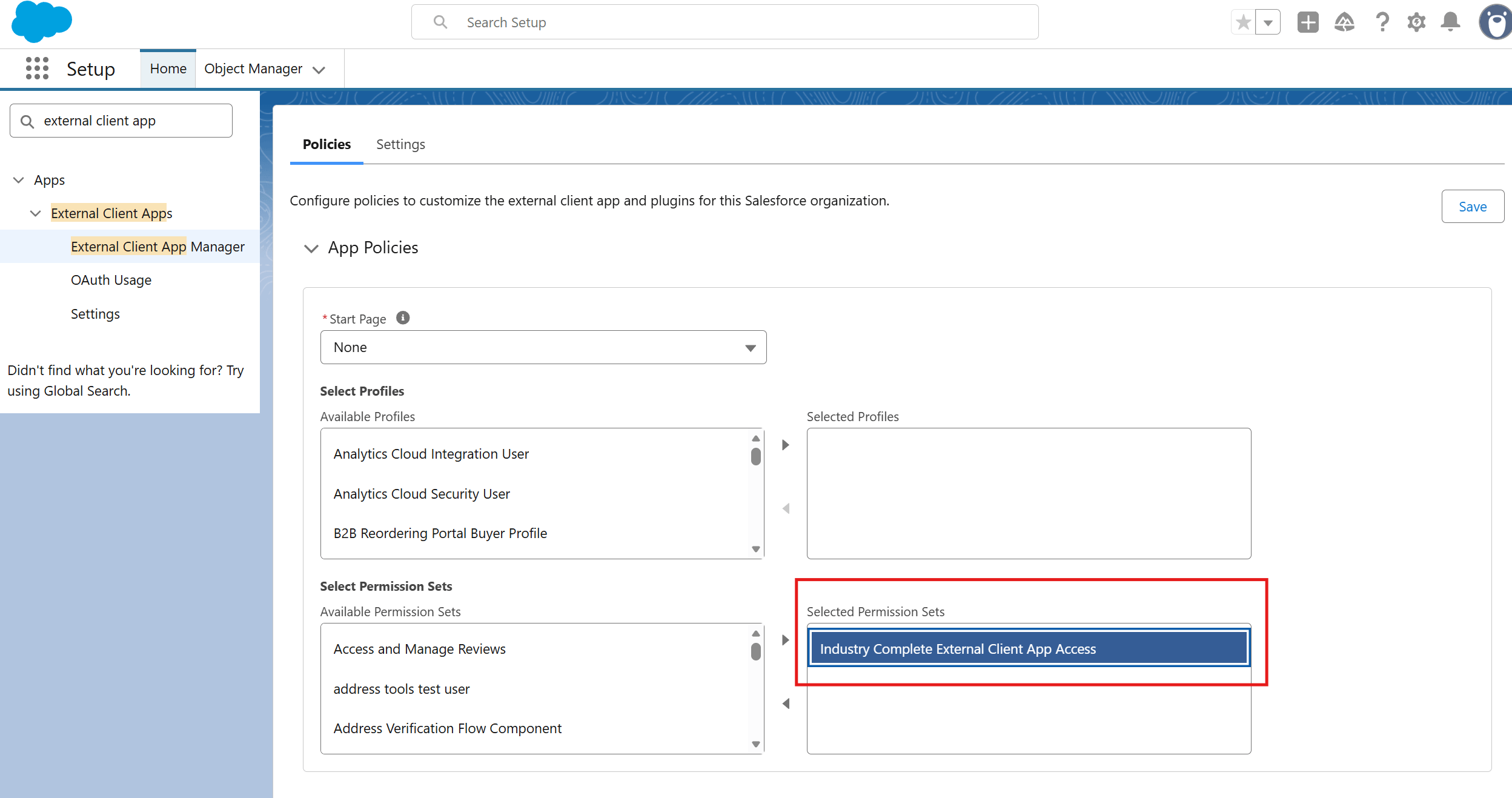
- Still on the IndustryComplete External Client App page, navigate to the App Policies section.
- Under Select Permission Sets, add the IndustryComplete External Client App Access Permission Set.
- Click Save changes.
What This Does
These settings ensure that only users with the IndustryComplete External Client App Access Permission Set can interact with the IndustryComplete enrichment functionality.